

Role of Windows Event IDs in a Cyber Attack
Windows keeps a running diary of everything that happens on a computer.
Each entry in that diary is labeled with a number called an Event ID.
During a cyber attack, these Event IDs act like footprints the attacker leaves behind. Even if the attacker tries to hide, Windows logs still capture many of their actions.
Here’s how they help us understand an attack:
1. Before the Attack — Reconnaissance & Initial Access
Attackers probing a system or trying to gain a foothold leave early evidence.
Key Event IDs
- 4624 – Successful login (may reveal brute force, lateral movement)
- 4625 – Failed login (brute-force attempts)
- 4648 – Explicit credential logon (use of stolen credentials)
- 4672 – Special privileges assigned (e.g., use of admin accounts)
Role in attack context
These events show:
- Credential-stuffing attempts
- Login from unusual hosts/users
- Attackers testing stolen credentials
2. During the Attack — Privilege Escalation & Persistence
Once inside, attackers try to elevate privileges or maintain access.


Key Event IDs
- 4673 / 4674 – Privileged service operations
- 4688 – Process creation (detects malware, scripts, LOLBins like PowerShell)
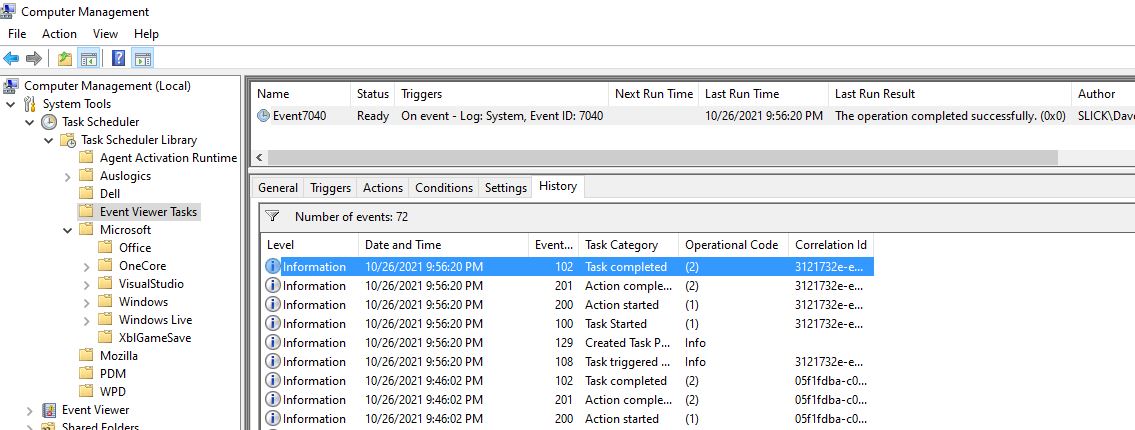
- 4698 – Scheduled task created (persistence)
- 7045 (System Log) – New service installed (common persistence method)
Role in attack context
These events trace:
- Use of tools like Mimikatz, PowerShell, PsExec
- Creation of persistence mechanisms
- Installation of backdoors or malicious services
3. During Lateral Movement
Attackers move from one system to another.
Key Event IDs
- 4624 with Logon Type 3 – Network logons during lateral movement
- 4648 – Use of credentials to access remote systems
- 5140 – File share access
- 5145 – Detailed share access attempt (often used during info-stealing)
Role in attack context
Events show:
- Pass-the-Hash / Pass-the-Ticket activity
- Remote execution attempts
- Propagation of malware across hosts
4. Execution of Malicious Tools or Malware
Windows logs process and script activity that reveals attacker behavior.
Key Event IDs
- 4688 – Process creation (very important)
- 4104 (PowerShell) – Script block logging
- 4103 – PowerShell pipeline operations
- 1116 / 1117 – Defender malware detection events
Role in attack context
These events help identify:
- Execution of ransomware
- PowerShell exploitation (common in fileless attacks)
- Use of admin hacking tools
5. Data Exfiltration & Impact
Events indicate abnormal data access or destructive actions.
Key Event IDs
- 4656 / 4663 – File access events
- 4756 / 4757 – Changes to security groups (attackers adding themselves to privileged groups)
- 1102 – Event logs cleared (attempt to hide traces)
- 4720 – New user account created (often malicious)
Role in attack context
Events reveal:
- Unauthorized creation of accounts
- Alteration of permissions
- Manipulation or destruction of logs
- Attempts to hide evidence
6. After the Attack — Forensic Investigation
Event IDs form the timeline of the attack.
Investigators use logs to answer:
- How did the attacker get in?
- Which accounts were used?
- What tools ran on the system?
- What data was accessed or exfiltrated?
