

Microsoft’s Threat Intelligence team has alerted organizations that threat actors are increasingly exploiting misconfigured email routing and insufficient spoof protections to send phishing emails that appear to come from within the victim’s own domain — making them far more convincing to target users.
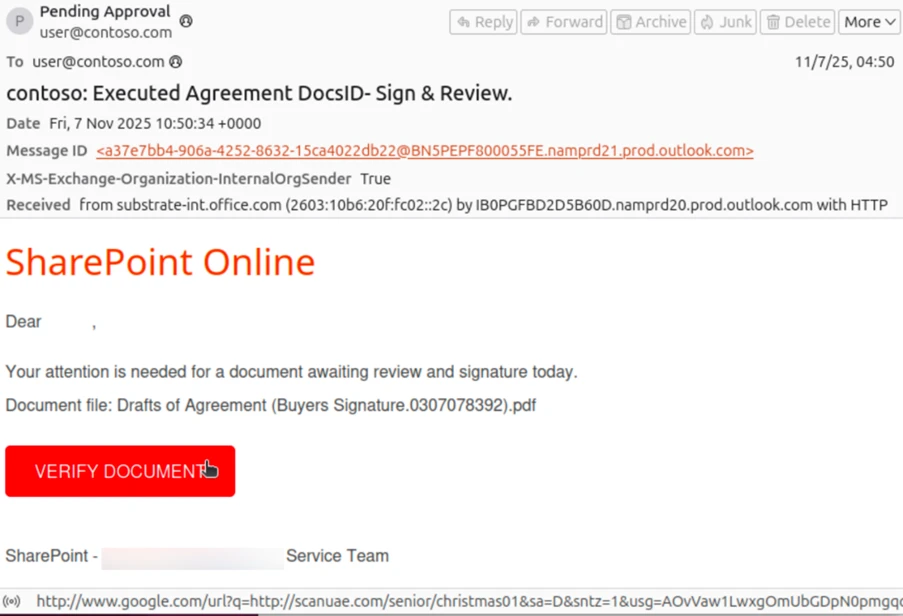
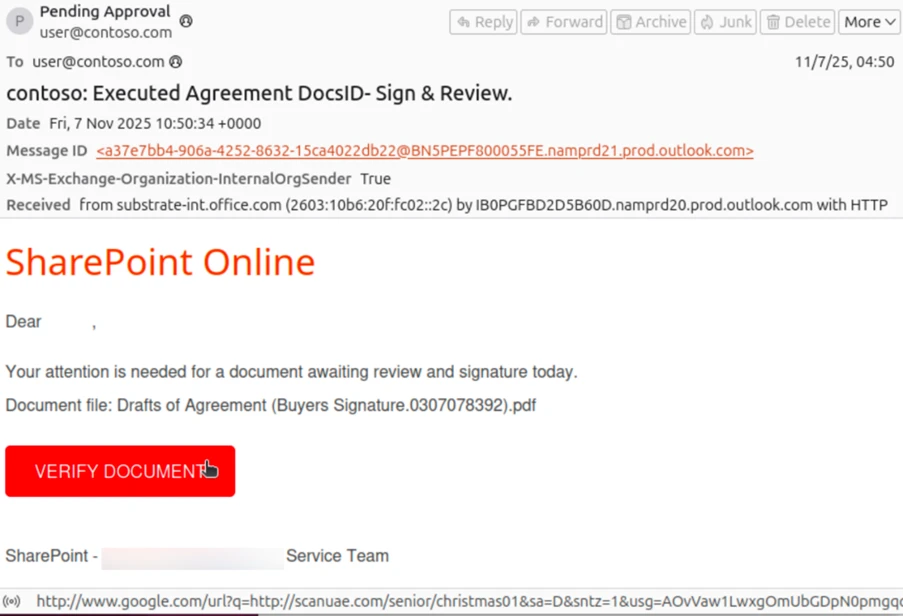
These spoofed emails often look internal because both the “From” and “To” fields use the organization’s own domain, leading users to trust them and potentially disclose credentials or click malicious links.
Why This Matters
- Increase in attacks: Microsoft has seen a significant uptick in this attack vector since May 2025, as attackers increasingly use phishing-as-a-service toolkits like Tycoon2FA.
- Broad targeting: These campaigns are opportunistic, affecting organizations of many sizes and industries, rather than narrowly targeted specific victims.
- Credential theft & fraud: The primary goal is to harvest login credentials via phishing pages, but some attackers also push financial fraud, e.g., fake invoices accompanied by forged documents.
How the Attack Works
Threat actors take advantage of complex email routing setups — such as when:
- The organization’s MX records do not point directly to Microsoft 365, such as when mail goes through on-premises servers or third-party gateways first.
- Email authentication (SPF/DKIM/DMARC) is not enforced strictly, especially if policies use soft fail or are partially configured.
This creates a gap that attackers can abuse to make phishing emails look like they came from within the organization.
Microsoft notes this is not a software vulnerability — rather, it’s a consequence of how certain configurations are set up in customers’ email infrastructure.
Common Lures Seen in Phishing Emails
Phishing messages delivered through this vector include themes such as:
- HR or internal communication notices (e.g., benefits changes)
- Voicemail alerts
- Password reset or expiration requests
- Links to malicious credentials pages
- Fake invoice and financial scams with attachments to increase legitimacy
What Organizations Should Do
Microsoft’s guidance to reduce exposure includes:
Enforce strong email authentication
- Set strict DMARC (reject) policies
- Configure SPF to hard fail when illegitimate sources send mail
- Ensure DKIM signatures are in place and valid
Simplify routing where possible
- Point MX records directly to Microsoft 365 when feasible
- Review mail flow connectors and third-party services for proper authentication
Monitor and block phishing trends
- Use Microsoft Defender for Office 365 and related threat protection tools
- Review security reports for spoofed domain attempts
Why This Is More Effective Than Normal Phishing
Typical phishing emails originate from external sources that security filters can block or flag. But when messages appear to be “internal,” they often:
- Bypass external email threat filters
- Appear legitimate to recipients
- Circumvent normal authentication checks at a glance
In short: Microsoft warns that misconfiguration in email routing and weak spoof protections can make phishing attacks much more convincing, because they appear to come from inside the organization itself. Strengthening DMARC/SPF policies and simplifying mail routing are key defenses against this growing risk.
