

The Tycoon phishing kit is a commercial phishing-as-a-service (PhaaS) framework widely used to steal cloud identity credentials, especially Microsoft 365 accounts. It’s popular because it’s easy to deploy, frequently updated, and designed to bypass MFA and email security controls.
Threat model & targets
- Primary targets: Enterprise users (finance, HR, executives)
- Accounts: Microsoft 365 / Entra ID (Azure AD)
- Motivation: Credential theft → account takeover → BEC, data theft, ransomware staging
- Buyers: Low-skill to mid-skill cybercriminals
How it works (defensive overview – no exploit detail)
At a conceptual level, Tycoon campaigns follow a common pattern:
- Lure delivery
Emails imitate invoices, shared documents, voicemail alerts, or “secure messages.”
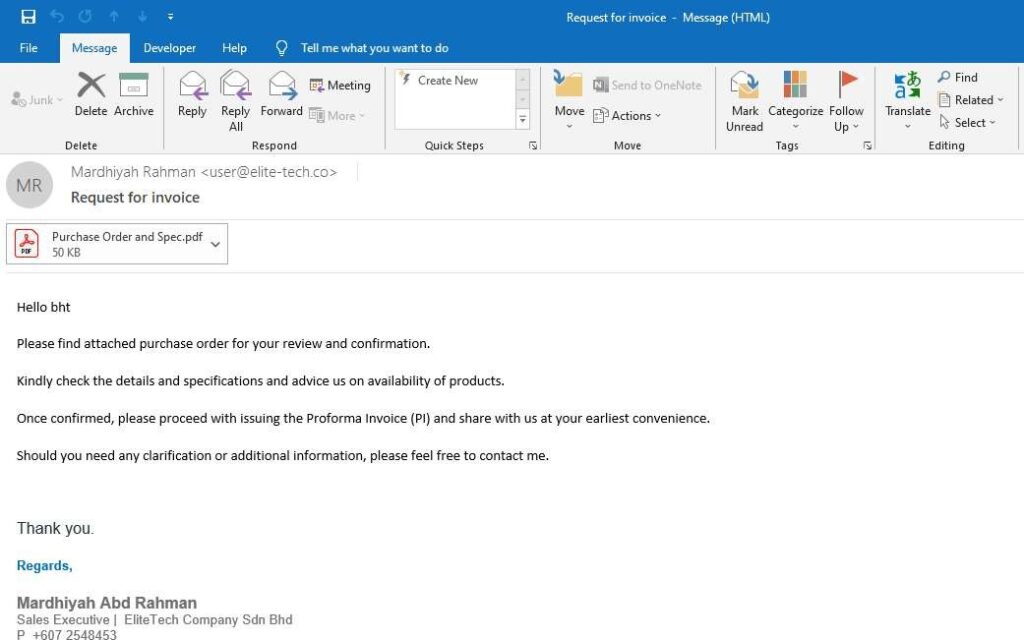
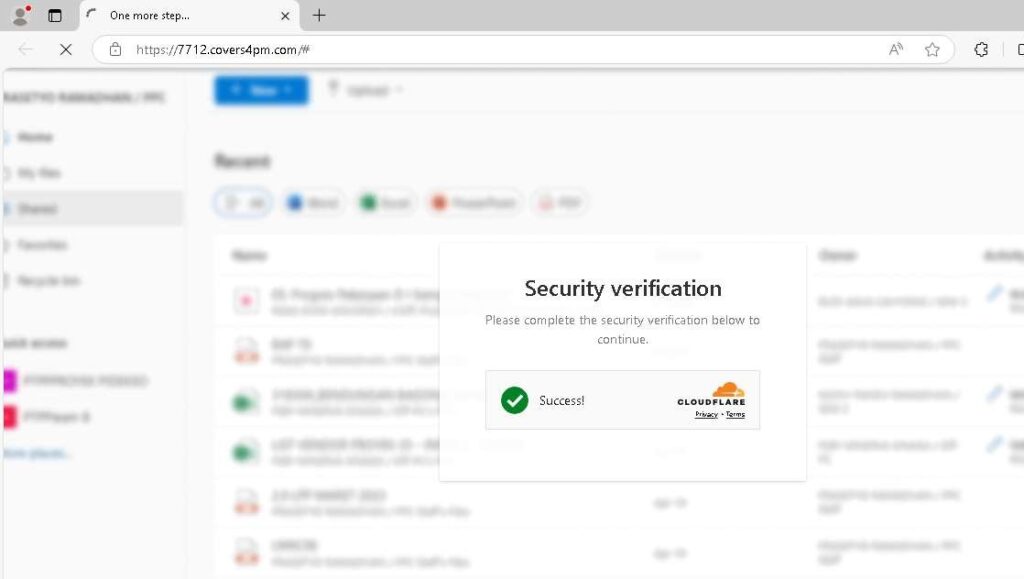
2. Redirection & filtering
Victims are funneled through multiple redirect layers to evade scanners and sandboxing.
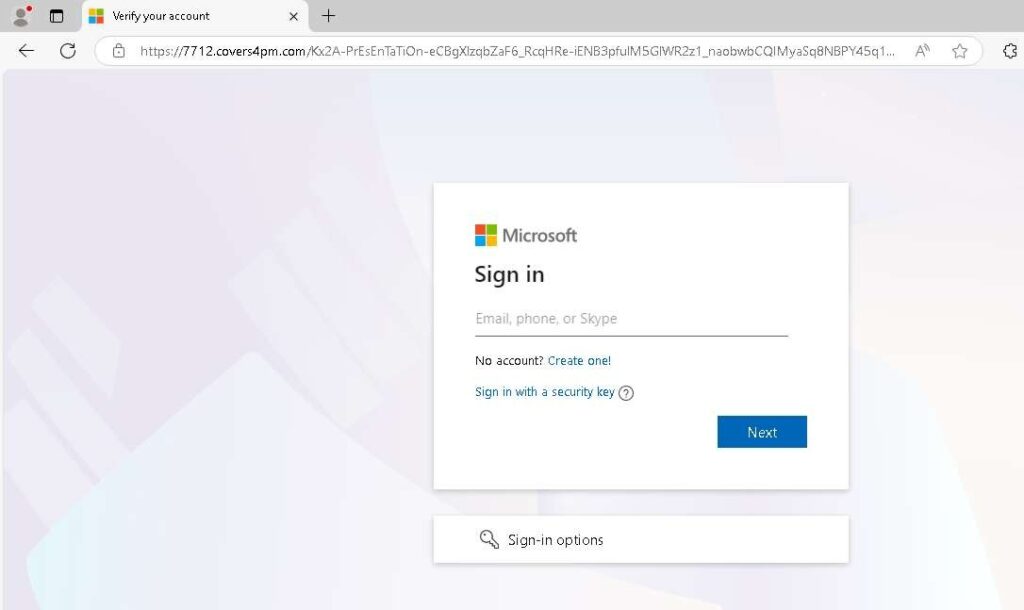
3. Fake authentication page
A pixel-perfect clone of a Microsoft login page is shown.
4. Credential + session capture
Credentials are captured; in some cases session tokens are harvested, enabling MFA bypass.
5. Immediate exploitation
Stolen sessions are used quickly to avoid token expiration and user detection.
⚠️ Key risk: Token theft means even users with MFA enabled can be compromised.
Why Tycoon is effective
- Strong brand impersonation (Microsoft, OneDrive, SharePoint)
- MFA fatigue & MFA bypass techniques
- Rapid kit updates to evade detection
- Geo-fencing & bot filtering to hide from security crawlers
Incident Response (IR) – what to do if you suspect Tycoon
1. Immediate containment
- Disable the affected account
- Revoke all active sessions & refresh tokens
- Reset credentials and enforce MFA re-registration
2. Investigation
- Review:
- Azure AD sign-in logs
- Impossible travel
- Token replay or unfamiliar user agents
- Identify email source and delivery path
3. Eradication
- Remove malicious inbox rules
- Block associated domains/IPs
- Update email gateway rules
4. Recovery
- Restore account access
- Notify impacted users or partners
- Monitor for BEC or lateral movement
5. Lessons learned
- Tighten conditional access
- Reduce token lifetime
- Improve user phishing awareness
Detection & prevention strategies
Email security
- Advanced phishing detection (URL rewriting + time-of-click analysis)
- Block look-alike domains
Identity security
- Conditional Access:
- Require compliant devices
- Restrict legacy authentication
- Shorten token lifetimes for high-risk users
User awareness
- Train users to spot:
- “Urgent” cloud document alerts
- Unexpected MFA prompts
Monitoring
- Alert on:
- MFA push abuse
- Token reuse from new IPs
- Suspicious OAuth consent grants
Defensive indicators (examples – non-operational)
- Recently registered domains impersonating Microsoft services
- Login pages hosted on generic cloud infrastructure
- HTML pages with heavy obfuscation and dynamic loading
- Short-lived redirect chains
Summary
Tycoon is not just phishing—it’s an identity compromise platform optimized for speed, scale, and MFA evasion.
Defenders must focus on token protection, conditional access, and rapid IR playbooks, not just email filtering.
Comparison Table (Defensive View)
| Category | Tycoon Phishing Kit |
|---|---|
| Threat Type | Phishing-as-a-Service (PhaaS) |
| Primary Target | Microsoft 365 / Entra ID accounts |
| MFA Impact | Can bypass via token/session theft |
| Skill Required | Low to medium (buyer) |
| Common Lures | Invoices, shared files, voicemail |
| Key Risk | Account takeover, BEC |
| Best Defense | Token revocation, CA policies |
| IR Priority | Session invalidation |
